

Photosensitivity warning. At its defaults Bubble doesn’t strobe: the film bursts once every half a minute or so. But some settings make it flash, and flashing light can trigger seizures in people with photosensitive epilepsy. Guidance for broadcast and the web (Ofcom’s, and WCAG’s) draws the line at three flashes a second. Measured over Resolume’s 33 demo clips, Bubble goes over that line when Burst is at 0 with Refill under 0.1 s and Slow Motion below its default (the film bursts as soon as it is made, over and over: up to 11 flashes a second over part of the picture), when Pop is pressed twice a second or faster with a short Refill (each burst blacks the picture out), and, at the defaults, on a clip that already flickers, because Exposure brightens what the film reflects (2 of the 33 clips). See Flashing before you put it in front of an audience.
Bubble is a soap film for Resolume Arena and Avenue, as one FFGL effect, SW Bubble: your clip, reflected in a draining soap film.
A soap film is a sheet of water a few hundred nanometres thick. Light reflected from its front face and from its back face interferes, so how much of each colour comes back depends on how thick the film is. Gravity drains it from the top: bands of Newton’s colours slide down and spread, the top goes silvery and then, below about 30 nanometres, black, with a sharp edge. Stir it and the colours swirl. Then it bursts: a hole opens in the black film and races out, faster through thin film than thick, and a new film is pulled.
Nothing is drawn. The colours, the black, the swirls and the burst all come out of the film’s thickness, and the clip is what the film reflects, tinted by it.
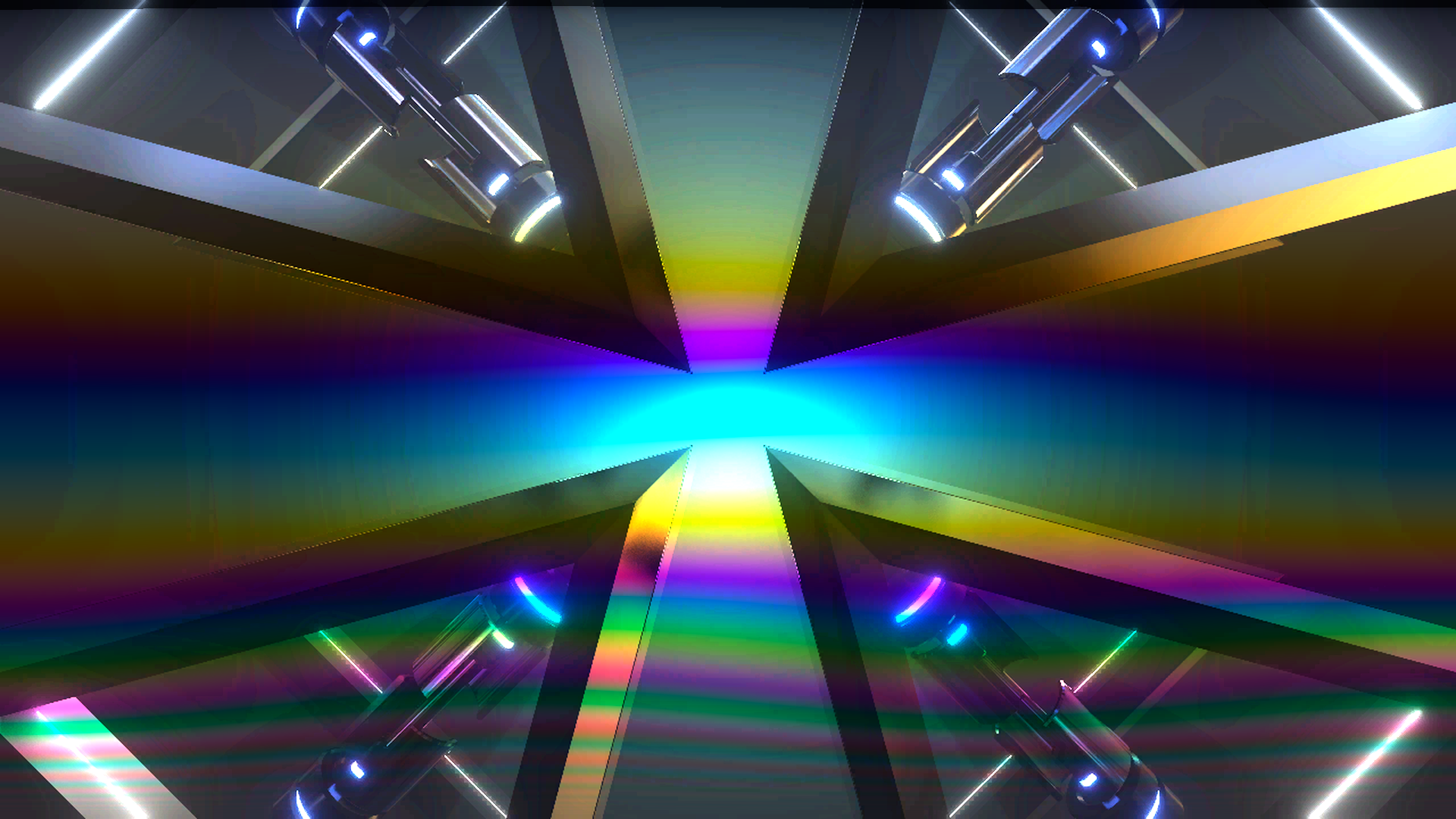
SW Bubble with Thickness at 0.6 µm (0.105), 3 seconds after the film was pulled, Burst at 1 and everything else at its defaults, over a frame of Resolume’s demo clip IntoTheGlow_21: the first-order colours of a thin film, and a thin black edge just starting at the very top. Rendered by the offline harness rather than captured from Resolume.
Before you rely on this: this is v0.1.0, the first release, and early days. The film is measured, not just asserted. An offline harness drives the plugin’s own code, at two sizes, on an Apple Silicon Mac’s GPU and again on Apple’s software renderer, and reads the picture back: a uniform film’s colour matches the harness’s own sum of the physics (water’s refractive index, the two faces’ reflections, the CIE’s colour-matching functions under daylight) to within 0.675 of a tolerance built from the colour table’s own bound; the black film’s edge sits on the row the drainage law predicts, in every column; the film is identical to the bit at 24, 60 and 144 fps; and the burst’s hole is the predicted disc to the pixel. Twenty-two deliberately wrong versions of the plugin and 65 one-character sabotages of its code are all caught, and all 12 controls change the picture. It has been loaded into Resolume Arena 7.29.0 on the same Mac and Arena 7.27.1 on Windows (software rendering, no GPU), over still pictures, where every control was there at its default and every one tried changed the picture; on the Mac, Pop and New Film worked when pressed through Resolume’s own API, and a new film at the defaults burst 30.3 s in on Arena’s clock, as the drainage law says. It hasn’t been used on a moving clip in Resolume or in a show. It has never been compared with a real soap film, and the stirring and every default but Exposure are chosen (see Known limits). Try it on a spare layer first, and shout if anything misbehaves.
This codebase was created with AI assistance, directed and reviewed by a human author.
Installing
Download the build for your platform. For macOS there’s a universal .dmg or .zip
(Apple silicon and Intel), Developer ID-signed and notarised so the bundle just loads
(the signing happens on my Mac shortly after each release is published, so a download made
in the first few minutes may need Open from the context menu once), and for Windows an
x64 installer or .zip. Put Bubble.bundle (macOS) or Bubble.dll (Windows) in Resolume’s
FFGL folder, then restart Resolume:
macOS    ~/Documents/Resolume Arena/Extra Effects/
Windows  %USERPROFILE%\Documents\Resolume Arena\Extra Effects\
Avenue uses the same layout in its own folder.
The Windows installer puts the DLL there for you, per user, with no admin rights needed. It
defaults to Arena’s folder (Avenue’s if only Avenue is installed) and lets you change it.
The Windows builds aren’t code-signed. Plugin files aren’t gated the way .exe files are,
so Resolume loads them as normal; only the installer trips SmartScreen, once: More info
→ Run anyway.
It’s in the Effects browser as SW Bubble. Drop it on a clip, a layer or the composition.
Start here
- Put SW Bubble on a bright, colourful clip. A new film is thick, so it starts pale: soft pinks and greens, the colours of a film over a micrometre thick, with your clip showing through them.
- Watch the top. After a few seconds a silvery band and then a black edge appear there and creep down, with brighter colour bands sliding down ahead of them. At the defaults the film bursts about 30 seconds in. By then it is thin, so even at the default 100 × slow motion the hole is across it in about a fifteenth of a second; the frame stays black for about two seconds, and a new film is pulled.
- Press Pop to burst it now, or New Film for a fresh film straight away.
- Lower Thickness for strong colour from the start, or raise Drainage to drain it faster. Raise Swirl to stir it.
How it works, in one paragraph
Each pixel is a point on a flat film of water 25 mm tall (the size of the film the drainage law was measured on). Its thickness comes from the law Monier and colleagues measured in 2024 for draining soap films: the film keeps one shape and thins with time, fastest at the top. Below 30 nm it is black film instead, 12 nm (common black film) or 4 nm (Newton black film) thick. The stirring moves where each piece of film came from, so a piece carries its thickness with it as it moves and goes on thinning. From the thickness and the angle the plugin looks up how much red, green and blue a film of water reflects: the reflections from its two faces, added with their phases (the Airy sum), for every wavelength from 360 to 830 nm, weighted by the CIE’s colour-matching functions under daylight (D65), summed and turned into sRGB. That tint multiplies your clip, which is what the film reflects, and Exposure scales the result. When it bursts, a hole opens at a point in the black film and its rim runs out at the Taylor–Culick speed, √(2γ / ρh), faster through thinner film.
The Film group
Resolume shows every slider from 0 to 1. What a position means:
| Control | 0 | 0.5 | 1 | Default |
|---|---|---|---|---|
| Thickness | 0.2 µm | 2.1 µm | 4 µm | 0.342: 1.5 µm |
| Drainage | 0.1 × | 1 × (real time) | 10 × | 0.801: 4 × |
| Swirl | still | 10 mm/s | 20 mm/s | 0.15: 3 mm/s |
| Black Film | Common (12 nm) | Newton (4 nm) | Common |
- Thickness is the new film’s thickness at mid-height when it is pulled. A thin film (under about 0.7 µm) shows strong, saturated colour bands at once; a thick one starts pale, the high-order pinks and greens of a film several wavelengths thick, and only shows strong colour once it has drained. It acts at once: the film becomes the film it would be had it been pulled that thick, at the same age.
- Drainage is how fast the film thins, as a multiple of the real 25 mm film’s rate. At the defaults (1.5 µm, 4 ×) the black film is 1% of the way down at 4.6 s and 9% at 10 s. Drainage speeds the film’s own clock; it doesn’t change the film’s shape.
- Swirl stirs the film: six smooth, slowly changing eddies, never faster than this speed anywhere (in the film’s millimetres a second; the frame is 25 mm tall). The colour bands curl and fold, and black film can be carried down into colour and colour up into black. The stirring is chosen to look like a stirred film, not computed from the film’s own flow.
- Black Film is how thick the film is once it has gone black: common black film (12 nm, Reinold and Rücker’s) is a very dark grey; Newton black film (4 nm) is darker still. Both have a sharp edge against the coloured film.
The Burst group
| Control | 0 | 0.5 | 1 | Default |
|---|---|---|---|---|
| Burst | as soon as there is black film | when the black is half way down | never | 0.6 |
| Slow Motion | 1 × (real time) | about 32 × | 1000 × | 0.667: 100 × |
| Refill | none | 5 s | 10 s | 0.1: 1 s |
| Pop | a button | |||
| New Film | a button |
- Burst is how far down the black film has to come before the film bursts. At 1 it never does. At 0 it bursts as soon as there is any black film, which at the top is almost at once. See Flashing before you set it to 0 with a short Refill.
- Slow Motion slows the burst, and only the burst. A real soap film bursts in a few thousandths of a second, inside one frame at 60 fps: at 1 × the film is there in one frame and gone in the next. How long the hole takes depends on how thin the film is when it goes. At the defaults the film has drained for 30 s, and even at 100 × the hole is across it in about a fifteenth of a second (two thirds of a second at 1000 ×). A Pop on a fresh, thick film at 1000 × takes a few seconds, racing along the thin top first.
- Refill is how long the frame stays empty (black, at Mix 1) after the burst before a new film is pulled. The burst itself is given the time the hole would take to cross the thickest film, 4 µm (about 1.2 s at 100 × and 12 s at 1000 ×, for a 16:9 frame), however quickly it really crosses, so the frame is black for that long and then for Refill: about 2 s at the defaults.
- Pop bursts the film now, wherever its black film has got to. New Film throws the film away and pulls a fresh one, with no burst. Both act on a press; map them to a key, a MIDI note or a beat. Retriggering the clip in Resolume doesn’t pull a new film (checked in Arena 7.29): the film carries on where it was.
The Light group
| Control | 0 | 0.5 | 1 | Default |
|---|---|---|---|---|
| Angle | 0° (face on) | 30° | 60° | 0° |
| Exposure | 0 (black) | 100 | 200 | 0.431: 86.25 |
- Angle is the angle you see the film at. Light crosses the film more steeply, so the colours of a given thickness move towards those of a thinner film, and the film reflects a little more. The whole film is seen at the one angle: it’s flat, not a sphere.
- Exposure scales the reflected light. A soap film reflects only about 4% of what’s in front of it, so this has to be large: the default, 86.25, was set on Resolume’s own 33 demo clips so that the brightest 1% of the median clip just reaches full brightness in its brightest colour. On a very bright clip the film then clips (turns flat white or a flat colour where it’s brightest); lower Exposure for those. It’s linear: 43 is half as bright.
The Look group
- Mix blends the film with the clip. At 1 (the default) the output is opaque: the film, and the black of the black film and the empty frame, cover what’s below. At 0 you get the clip untouched. The blend is premultiplied, so a transparent part of the clip stays transparent at Mix 0.
The film reflects a black room. A transparent part of the clip reflects nothing, so it’s black at Mix 1, as is the empty frame after a burst. To lay the film over other layers, set the layer’s blend mode to Add or Screen: the black then disappears and the colours sit on top.
Recipes
- Colour from the first second: Thickness 0.1 to 0.2 (0.6 to 1 µm), Drainage 0.8 (4 ×). Strong first-order colours, a black top within a second or two.
- A slow film for a long cue: Thickness 0.6 (2.5 µm), Drainage 0.5 (1 ×), Swirl 0.1, Burst 1 (never). Pale at first, colouring very slowly; press Pop on the cue.
- A bubble on the beat: Burst 1, Slow Motion 0.67 (100 ×), Refill 0, and New Film mapped to the bar: a fresh film every bar, never a burst. (Keep it slower than three a second, and see Flashing.)
- Marbled colour: Thickness 0.2, Swirl 0.5 to 1 (10 to 20 mm/s): the bands fold into each other.
- Over another layer: the layer’s blend mode on Add or Screen, Exposure to taste.
- Behind other effects. It reads the clip’s colour and alpha, so colour effects before it change what the film reflects; anything after it treats the film as the picture.
Flashing
Bubble makes its own light changes when the film bursts and a new one comes, and it brightens what it reflects. Measured over all 33 of Resolume’s demo clips (each looped through the plugin at 640 × 360, 60 fps, counting changes of brightness over the whole frame and over every third-of-the-frame window, the way the fleet’s videos are checked; a flash is a pair of changes, and more than three flashes in any one second is over the line):
- At the defaults, 31 of the 33 clips stay within the line. Two that already flicker on their own go over: Beat 002 (three flashes a second on its own, four through the plugin, in part of the frame) and NeonRoom2_32 (two on its own, four through it). That is Exposure brightening the clip’s own flicker: at Exposure 40 (0.2) neither went over.
- Burst at 0 with Refill at 0, at Slow Motion 10 × or less, bursts the film as soon as it is made and pulls another at once, over and over. It went over the line on 14 of the 33 clips, up to 11 flashes a second in part of the frame and 7 over the whole frame. Refill of 0.05 s still went over on one clip; Refill of 0.1 s (slider 0.01) or more, Burst of 0.05 or more, or the default Slow Motion of 100 ×, did not.
- Pressing Pop with Slow Motion at 1 × and Refill at 0.1 s blacks the picture out for an instant each time: twice a second went over on one clip, three times a second on 11 clips and six times a second on 17 (up to six and a half flashes a second). With Refill at 0.5 s, Pop twice a second stayed within the line. With Refill at 0, Pop at up to ten times a second didn’t flash, because no empty frame is ever shown.
- New Film pressed four times a second on the defaults went over only on Beat 002, as the defaults do.
So: keep Burst above 0 (or Refill at 0.1 s or more, or Slow Motion at the default), press Pop no more than once a second with a short Refill, and lower Exposure for a clip that already flickers. A clip that flashes on its own still flashes through it. If you can’t keep to that, warn your audience, as you would for any strobe.
Performance
On the Mac it was measured on (an Apple M4 Max, shared with other work), over the harness’s test card, GPU time a frame: with the film still, about 0.25 ms at 720p and 0.61 ms at 1080p; stirred at the default 3 mm/s (12 stirring steps a frame at 60 fps), about 0.76 ms at 720p, 1.31 ms at 1080p and 4.2 ms at 4K. Another GPU will differ, and nothing has been timed inside Resolume.
If it looks wrong
- It’s pale and nothing much happens. A new film at the default 1.5 µm is thick, and thick films are pale. Wait for it to drain, raise Drainage, or lower Thickness (it acts at once).
- It’s all one flat colour, or white. Exposure is clipping a bright clip: lower Exposure.
- It went black. The film burst and the frame is empty until the next film (Refill), or the black film has come most of the way down. Press New Film.
- The transparent parts of my clip went black. At Mix 1 the film is opaque and a transparent part of the clip reflects nothing. Use Add or Screen, or lower Mix.
- Slow Motion and Refill do nothing. They only act at a burst; at the defaults the first one is 30 s away. Press Pop.
- The burst is instant. A film that has drained a long time is thin, and a hole runs through thin film fast: even at 100 × it takes about a fifteenth of a second at the defaults. Raise Slow Motion towards 1000 ×, or Pop the film while it is still thick.
- It stays black a long time after a burst. The frame waits out the burst’s whole span (the time the hole would take through 4 µm film: 12 s at 1000 ×) before Refill starts. Press New Film, or lower Slow Motion.
Known limits
- Tested in Resolume only over still pictures, in Arena 7.29.0 on an Apple Silicon Mac and Arena 7.27.1 on Windows in a virtual machine with no GPU: never over a moving clip in Resolume, never in a show.
- It has never been compared with a real soap film. Every check is against the published physics and the harness’s own restatement of it, not against a filmed bubble.
- A flat film at one angle. The name says bubble; the model is a flat film seen at one angle (up to 60°). A real bubble is a sphere, its angle running from 0 at the centre to 90° at the rim. A curved-bubble mode is an open question.
- The swirls are a chosen stirring, six smooth eddies, not the film’s own flow (the Marangoni flow and the plumes that rise at a real film’s edges aren’t modelled), and Swirl is only a bound: the stirring’s top speed can be up to about 30% (1 − 1/√2) under the speed it says. That bound may be tightened.
- The defaults may change. At 1.5 µm and 4 × the film stays pale for its first seconds (the black is 1% of the way down at 4.6 s) and bursts at 30 s. A thinner or faster default film would show more colour sooner; that’s an open question.
- Exposure 86 clips the brightest clips hard. It was set by the fleet’s rule on the median demo clip; on the brightest (IntoTheGlow_02) the film’s brightest pixels then sit at about six times full scale. Lower it for bright clips. The 0–200 range is unusual for Stoatworks plugins.
- Black, not transparent, where there’s no film. At Mix 1 the empty frame and the black film are opaque black; Add or Screen lays the film over other layers. Whether the film should carry its own transparency instead is an open question.
- Chosen, not measured: the stirring; the drainage law’s master curve, a fit to points read off a figure in Monier and colleagues’ paper; the law’s use below 100 nm, where it wasn’t measured; the 30 nm black-film threshold; every default but Exposure.
- After a burst the frame waits out the burst’s whole span, the time the hole would take through 4 µm film (1.2 s at 100 ×, 12 s at 1000 ×), before Refill starts, however quickly the hole really crossed. Whether the empty time should start when the hole has crossed is an open question.
- The burst is checked only in a film of one thickness. Through a film of varying thickness the hole’s edge is an approximation (straight paths from where it starts).
- A per-channel tint of an RGB clip, not a spectrum; unpolarised light; a black room behind the film; very saturated colours clipped.
- Straight or premultiplied alpha? The plugin treats your clip’s colour as straight alpha, which is how Resolume’s own demo clips decode. If Resolume hands effects premultiplied colour, the edges of transparent areas come out darker than they should.
- The colour tables are the CIE’s, under CC BY-SA 4.0: the plugin’s code is MIT, but its colour table, summed from the CIE’s colour-matching functions and illuminant D65, carries the CIE’s licence. See ATTRIBUTIONS.md.
About
The last group, About, has the plugin’s name, version, licence and maker, and buttons that open this user guide, the project page, the source on GitHub and the support page in your browser.
Links
- Project page: stoatworks-labs.com/software/bubble
- Source: github.com/stoatworks-labs/bubble
- User guide: stoatworks-labs.com/software/bubble/guide
- Browser demo: bubble-demo.stoatworks-labs.com
Reporting something
Something wrong, odd or missing? Open an issue at github.com/stoatworks-labs/bubble/issues. The plugin keeps a short log of what the host did (the GPU it was given, whether its shaders compiled, and how the host’s clock counts time), which helps a lot:
macOS    ~/Library/Logs/bubble/
Windows  %LOCALAPPDATA%\bubble\logs\