

Meerkat
Find every PTZ camera on the network and set its address
What it does
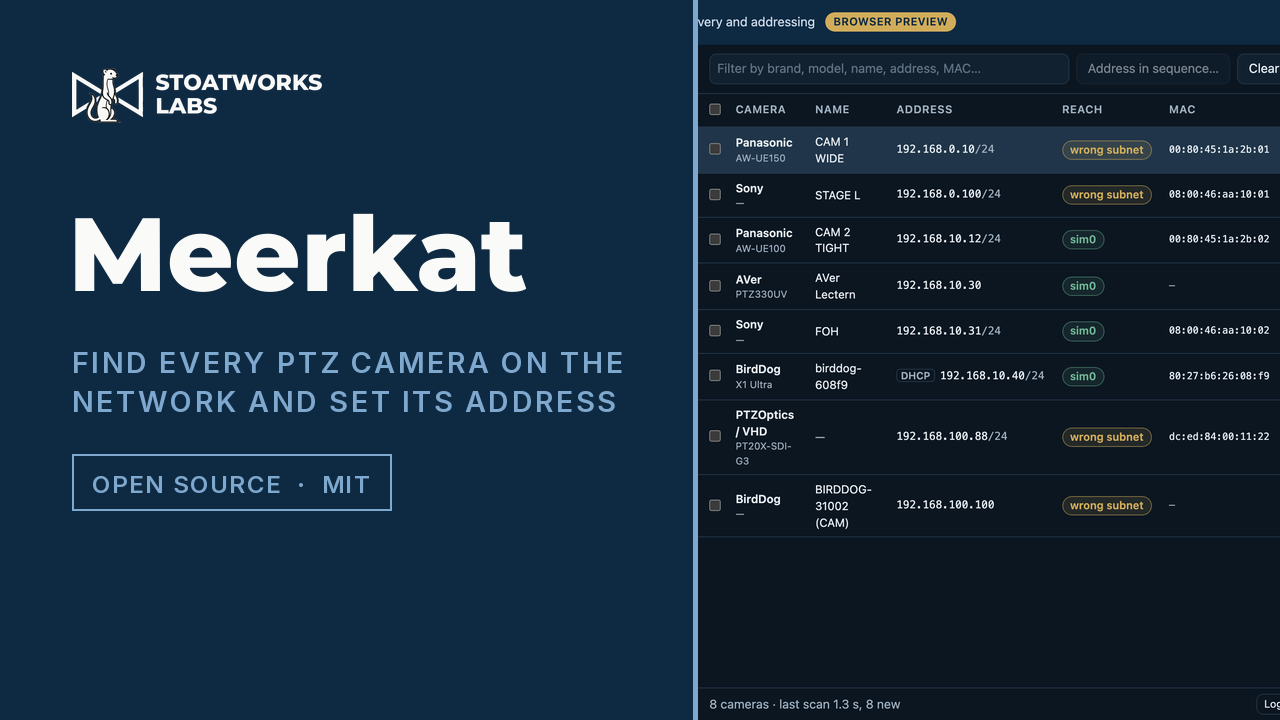
A PTZ camera fresh out of its box is rarely on your subnet. It comes up at its maker's default address, or on whatever DHCP gave it at the last venue, and each brand ships its own little tool to find it, each on one platform, each knowing only its own cameras. Meerkat is one app for all of them. Every scan sends each brand's own discovery out of every network interface at once, each socket bound to its interface, so a show laptop with the camera network on one port and the venue LAN on another finds the cameras on both.
Most of those protocols work at layer 2: Panasonic's Easy IP, Sony's IP Setup, the PTZOptics/VHD upgrade tool's multicast and NDI's mDNS all hear a camera whatever its address. Meerkat marks such a camera as being on the wrong subnet and, for Panasonic and Sony, moves it onto yours by MAC without touching the laptop's own settings. A camera behind a router is found by sweeping its range: an HTTP probe for Panasonic and BirdDog, a UDP inquiry for Sony, a WS-Discovery probe for ONVIF.
Changing an address is checked before anything is sent: whether a camera it can see already has that address, whether the gateway is inside the subnet, whether this brand can do DHCP, whether it can reach the camera the way the brand needs. Then it looks for the camera at its new address. A camera that only talks HTTP and sits on another subnet gets a temporary second address on your interface, in its subnet, so its web page opens and its settings can change; Meerkat removes it when it quits. A BirdDog P-series lost at an address nothing reaches is handed to BirdDog's own Neuralyzer, and Meerkat watches for it to come back on its fallback address.
Every camera it finds is matched against its maker's documents: the login it leaves the factory with (or none, when the account is made at first use), what happens after wrong passwords, and the maker's firmware download page with its update steps and warnings, each fact linked to its source. Meerkat never tries a login by itself. A camera that answers ONVIF and says it takes a firmware file can be sent one you downloaded: Meerkat asks the camera first, shows the file's SHA-256 beside the maker's warnings, sends it only after you confirm it is that maker's firmware for that model, always to the camera's own address, and reads the camera's version once it is back.
It's a desktop app rather than a browser tool because discovery is raw UDP broadcast and multicast from sockets bound to each interface, which a web page can't send.
- Panasonic Easy IP, Sony IP Setup, PTZOptics/VHD multicast, NDI over mDNS and ONVIF WS-Discovery, every brand out of every interface in one scan
- Cameras on the wrong subnet found and marked, and routed subnets swept address by address
- Address, mask, gateway, DNS and name changed by MAC for Panasonic and Sony, even across subnets; over the API for BirdDog X-series and MAX (DHCP included) and ONVIF
- Every change checked before it is sent, and the camera found again at its new address
- Several cameras given consecutive addresses in one go
- Each camera's built-in web UI opened on the port its brand uses
- Reach it from here: a temporary second address on your interface so a wrong-subnet camera's web UI opens, removed when the app quits
- Lost a BirdDog? A hand-off to BirdDog's Neuralyzer, then a watch for the camera on its fallback address
- Each camera's factory login and its maker's firmware page, steps and warnings, every fact sourced; it never tries a login by itself
- Firmware install over ONVIF: a file you downloaded, sent after an explicit yes, with the camera's version read back to prove it took
- Eight demo cameras answering every protocol on loopback, with nothing sent to the network
- A command-line twin, meerkat-cli, with a dry run before any change
Where it stands
Released at v0.2.0, a beta. Every driver is written from the vendor's published documentation and tested end to end against the simulator built into the app, which answers each protocol the way those documents say a camera does: discovery, reading the settings, changing them, and finding the camera again. Discovery has been run, read-only, on a real network. What hasn't: changing the address of any real camera, Panasonic, Sony, BirdDog or ONVIF; sending a firmware file to any real camera; the temporary-address commands on a real interface, on any of the three systems; BirdDog's Neuralyzer alongside it; and the Windows and Linux builds against a camera. PTZOptics/VHD cameras are found but not changed, because the set command isn't verified, and UE160-generation Panasonics with authentication on use an encrypted variant it doesn't speak.